Output Preserves
An output preserve defines the location and direction where the mechanism should produce its desired motion. It is the goal of the optimization — the solver maximizes displacement at the output preserve in the specified direction. If input preserves are the "push," output preserves are the "purpose."
Why It Matters
The output preserve is the most direct expression of your design intent. It answers the question: "What do I want this mechanism to do?" Specifically:
- Where should motion occur? (the position and extent of the preserve)
- In what direction should the mechanism move? (the direction vector)
The optimizer treats output displacement in the specified direction as the quantity to maximize. Every design decision the solver makes — where to place material, how thick to make structural members, where to create flexure regions — is in service of producing maximum displacement at the output preserve.
How It Works
Design Objective
The output preserve defines the optimization objective. During each iteration:
- The solver applies input forces and solves the structural analysis
- It reads the displacement at each node in the output preserve
- It computes the component of displacement along the output direction vector
- This scalar value becomes the design objective — the quantity the optimizer maximizes
Mathematically, the objective is:
Maximize: u_out = d^T * u_output_nodes
Where d is the direction vector and u_output_nodes are the displacement vectors at the output nodes.
In the robust formulation mode (the default for compliant mechanism design), a workpiece spring is added at the output preserve to model the resistance of a workpiece or load. This spring (controlled by K_p_max in the pair definition) applies a restoring force that resists output displacement, forcing the optimizer to create a mechanism stiff enough to do useful work. In the nuanced formulation mode (used for stiffness optimization, e.g., thermal flexure), no workpiece spring is added and the output serves purely as an observation point. See Pairs for details on K_p_max and formulation modes.
Direction Vector
Like input preserves, output preserves carry a direction vector. But the meaning is different:
- Input direction: "force pushes this way"
- Output direction: "I want motion this way"
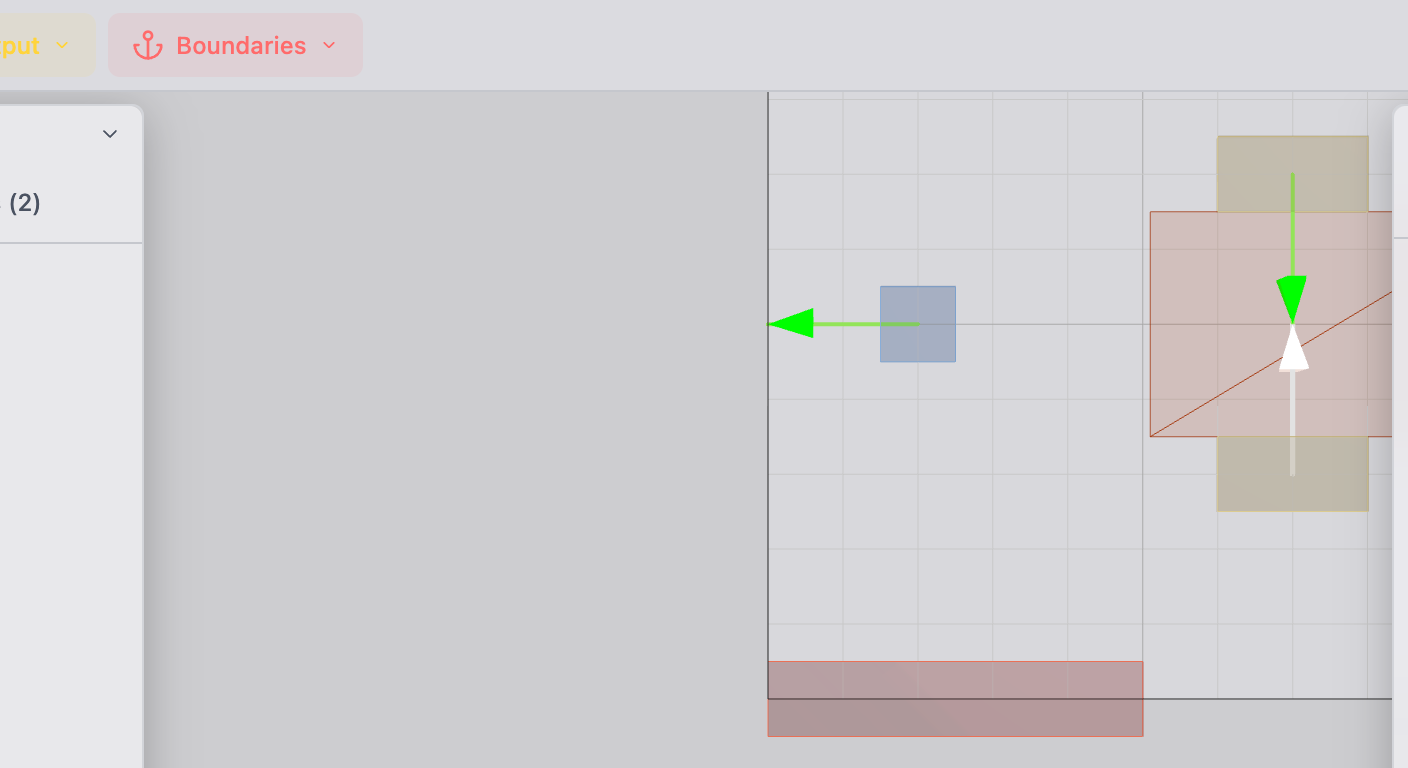
The direction determines which component of displacement the solver optimizes. If your output direction is (0, 1) (upward), the solver maximizes vertical displacement at the output — even if horizontal displacement is also present, it is ignored in the objective.
Preserve Region
As with all preserves, the output preserve region is locked to solid (full material). This ensures the output location remains physically present in the final design. The output preserve represents a physical feature — a mounting point, a contact surface, a sensor location — that must exist in the manufactured part.
Practical Guidance
Placement
Position the output preserve where you need motion to occur in the physical mechanism:
- Actuator output point: where the mechanism drives a load
- Sensor contact point: where a sensor measures displacement
- Workpiece contact: where the mechanism interacts with the thing it is manipulating
- Center of a mounting plate: for thermal flexure, the output preserve is typically at the center of the plate where the optical or precision component is mounted
The output preserve location relative to the input and fixed preserves largely determines the mechanism type. Experiment with output placement to explore different mechanism topologies — even small position changes can produce substantially different designs.
Choosing the Direction
The output direction should match the real-world motion requirement:
- If you need vertical deflection compensation, set the direction to (0, 1) or (0, -1)
- If you need lateral motion, use (1, 0) or (-1, 0)
- If you need diagonal motion, use the appropriate unit vector
The direction does not need to match the input direction. In fact, some of the most useful compliant mechanisms redirect motion — converting horizontal input into vertical output, for example.
Single vs. Multiple Outputs
Most designs use a single output preserve, but deFlex supports multiple outputs:
- Single output: the standard case — one target motion location
- Multiple outputs: the solver optimizes a weighted sum of output displacements, useful for mechanisms that must produce coordinated motion at several points
When using multiple outputs, each needs its own pair linking it to an input preserve.
Multi-Path Output Support
A single output preserve can define multiple motion directions by assigning several linked paths. This allows different pairs to evaluate stiffness coupling (K_p) using different motion directions on the same output preserve, without creating separate output preserves for each direction.
Relationship to Other Preserves
Output vs. Input
| Property | Input Preserve | Output Preserve |
|---|---|---|
| Analysis role | Applied force | Measured displacement |
| Direction meaning | Force direction | Desired motion direction |
| Effect on model | Adds to force vector | Defines design objective |
| Required? | Yes (at least 1) | Yes (at least 1) |
Output vs. Fixed
Output preserves are sometimes confused with fixed preserves, especially when "output" suggests a final destination. The distinction is critical:
- Output preserve: free to move — the solver measures displacement here
- Fixed preserve: locked in place — displacement is constrained to zero
An output preserve with a fixed constraint would have zero displacement by definition, making the optimization trivial (and useless).
Output Preserves and Bolt Pads
In the thermal flexure workflow, the output preserve is distinct from output bolt pads. Output bolt pads (role = "output") are treated as fixed mounting points — they are where the precision payload is bolted down. The output preserve is a separate feature placed where you want to measure and optimize the thermal compensation motion.
This distinction is subtle but important: bolt pads with the "output" role are fixed nodes (pinned mount points). The output preserve is a free node where the optimizer maximizes motion. They serve completely different mechanical roles despite the similar naming.
Technical Details
Spring Term at the Output
In compliant mechanism formulations, a spring term is often added at the output to model the workpiece stiffness. This is controlled by the K_p_max parameter in the pair definition. The spring resists output displacement, forcing the mechanism to be stiff enough to do useful work against a load — not just move freely in space.
See Pairs for details on how K_p_max affects the output.
Troubleshooting
Zero or near-zero output displacement: the mechanism topology does not effectively transmit force to the output location. Check that the input and output are connected through the design space and that fixed preserves provide adequate reaction forces.
Output motion in the wrong direction: verify the direction vector. Also check that the mechanism has a valid load path — the optimizer may have found a topology that produces motion perpendicular to the intended direction.
Output preserve is disconnected from the rest of the structure: the optimizer could not find an efficient path to the output. Try moving the output preserve closer to the design space center or increasing the volume fraction.
See Also
- Input Preserves — where force enters
- Fixed Preserves — where the mechanism is anchored
- Pairs — linking outputs to inputs with stiffness coupling
- Preserves Overview — the full preserve taxonomy
- Results Interpretation — evaluating output displacement in results